


Mocking is an essential part of unit testing, and the Mockito library makes it easy to write clean and intuitive unit tests for your Java code.
Get started with mocking and improve your application tests using our Mockito guide:
Handling concurrency in an application can be a tricky process with many potential pitfalls. A solid grasp of the fundamentals will go a long way to help minimize these issues.
Get started with understanding multi-threaded applications with our Java Concurrency guide:
Spring 5 added support for reactive programming with the Spring WebFlux module, which has been improved upon ever since. Get started with the Reactor project basics and reactive programming in Spring Boot:
Since its introduction in Java 8, the Stream API has become a staple of Java development. The basic operations like iterating, filtering, mapping sequences of elements are deceptively simple to use.
But these can also be overused and fall into some common pitfalls.
To get a better understanding on how Streams work and how to combine them with other language features, check out our guide to Java Streams:
Explore Spring Boot 3 and Spring 6 in-depth through building a full REST API with the framework:
Yes, Spring Security can be complex, from the more advanced functionality within the Core to the deep OAuth support in the framework.
I built the security material as two full courses - Core and OAuth, to get practical with these more complex scenarios. We explore when and how to use each feature and code through it on the backing project.
You can explore the course here:
All Access is finally out, with all of my Spring courses. Learn JUnit is out as well, and Learn Maven is coming fast. And, of course, quite a bit more affordable. Finally.
>> GET THE COURSE
Spring Data JPA is a great way to handle the complexity of JPA with the powerful simplicity of Spring Boot.
Get started with Spring Data JPA through the guided reference course:
Refactor Java code safely — and automatically — with OpenRewrite.
Refactoring big codebases by hand is slow, risky, and easy to put off. That’s where OpenRewrite comes in. The open-source framework for large-scale, automated code transformations helps teams modernize safely and consistently.
Each month, the creators and maintainers of OpenRewrite at Moderne run live, hands-on training sessions — one for newcomers and one for experienced users. You’ll see how recipes work, how to apply them across projects, and how to modernize code with confidence.
Join the next session, bring your questions, and learn how to automate the kind of work that usually eats your sprint time.
1. Overview
Comprehensive documentation helps developers work with libraries easily. Javadoc is a great tool that helps generate documentation for Java code. Java 18 introduced the @snippet tag to easily integrate code snippets into documentation.
In this tutorial, we’ll explore how to add code snippets into documentation using the @snippet tag.
2. Before the @snippet Tag
Before Java 18, we could add code snippets in documentation using the @code tag. However, this came with some limitations.
The @code tag treats the code like normal text. It doesn’t validate code snippets and highlight syntax.
3. Using the @snippet Tag
Java 18 introduced the @snippet tag to address the limitations of the @code tag. It has features to highlight code syntax.
Further, it makes it easy to embed code in documentation. It also comes with features to add code from external sources to documentation.
Additionally, code fragments can be validated using the Compiler Tree APIs.
The @snippet tag can be used in two different ways – in-line snippet and external code snippet.
3.1. In-Line Code Snippets
The in-line code snippets help to add code snippets to a Javadoc comment by explicitly putting the code within the @snippet tag.
The @snippet tag has opening and closing curly braces. The code snippets are written after the colon sign. Additionally, the code snippets must be within the curly braces:
{@snippet : "placeholder for code snippets" }Here’s an example of documentation using the in-line code snippets:
/**
 * The code below shows the content of {@code helloBaeldung()} method
 * {@snippet :
 * public void helloBaeldung() {
 *     System.out.println("Hello From Team Baeldung");
 * }
 * }
 */
public class GreetingsInlineSnippet {
    public void helloBaeldung() {
        System.out.println("Hello From Team Baeldung");
    }
}
In the above code, we add the helloBaeldung() method in the documentation. First, we define the @snippet tag. Then, we write the code snippet within the tag.
Here’s the generated Javadoc: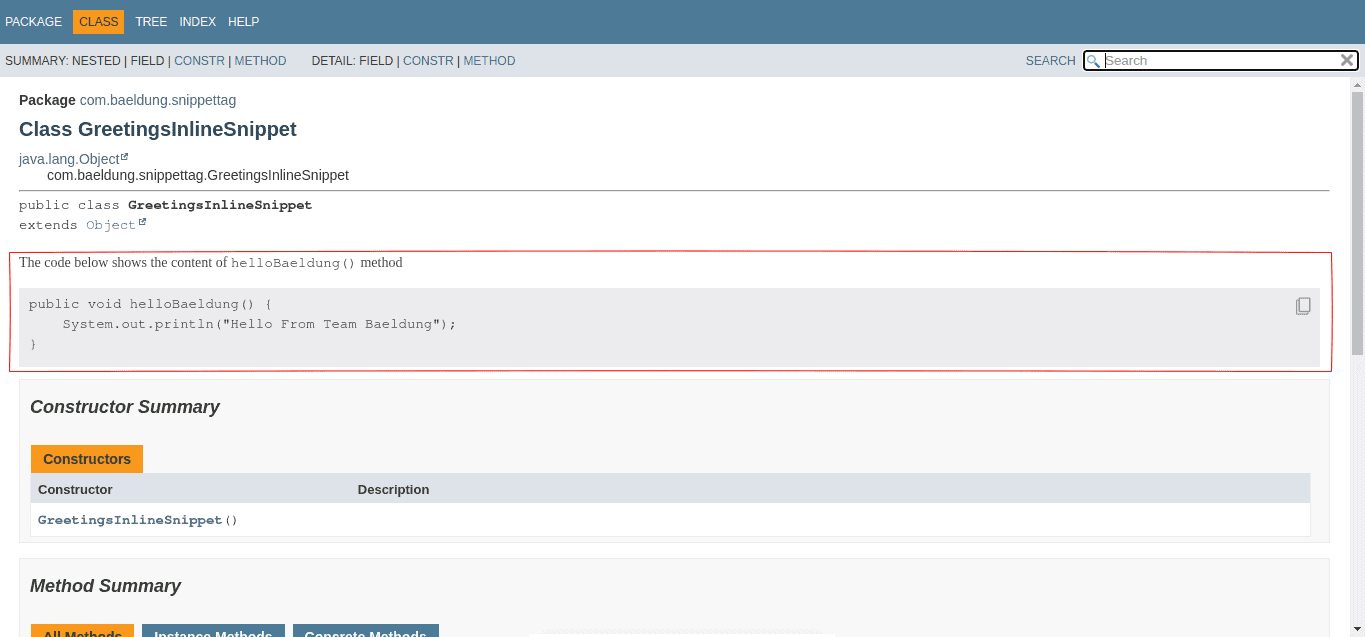
The above image shows an in-line code snippet embedded in documentation.
3.2. External Code Snippets
Additionally, we can add to documentation code snippets from an external file or a class. First, we have to specify the region we want to add using the @start and @end tags.
Let’s write some simple documentation that shows a method to implement binary search in Java.
First, let’s create a class named BinarySearch with a method to implement binary search and specify the portion to add to the documentation:
public class BinarySearch {
    public int search(int[] list, int item) {
        int index = Integer.MAX_VALUE;
        int low = 0;
        int high = list.length - 1;

        // @start region="binary"
        while (low <= high) {
            int mid = high - low;
            int guess = list[mid];
            if (guess == item) {
                index = mid; break;
            } else if (guess > item) {
                low = mid - 1;
            } else {
                low = mid + 1;
            }
            low++;
        }
        // @end region="binary"
        return index;
    }
}
In the code above, we want to add the region named “binary” to documentation in the GreetingsExternalSnippet class. We use the @start tag to mark the start region and the @end tag to mark the end region.
Furthermore, “binary” is a unique name for the marked region, and it can be used to call the section in any Javadoc.
Let’s add the code to a Javadoc comment in a GreetingsExternalSnippet class:
/**
 *
 * External code snippet showing the loop process in binary search method.
 * {@snippet class="BinarySearch" region="binary"}
 */

public class GreetingsExternalSnippet {
    public void helloBinarySearch() {
        System.out.println("Hi, it's great knowing that binary search uses a loop under the hood");
    }
}
Here, we call an external file using the @snippet tag by giving the correct class name and the region name. Also, we need to place the external classes or files in a directory named snippet-files for the Javadoc command to recognize the path of the external file or class.
To generate the Javadoc, we need to specify the folder snippet-files with the –snippet-path option to avoid errors while generating the documentation:
$ javadoc -d doc com.baeldung.snippettag --snippet-path snippet-filesThe command above generates the documentation.
Here’s the generated Javadoc: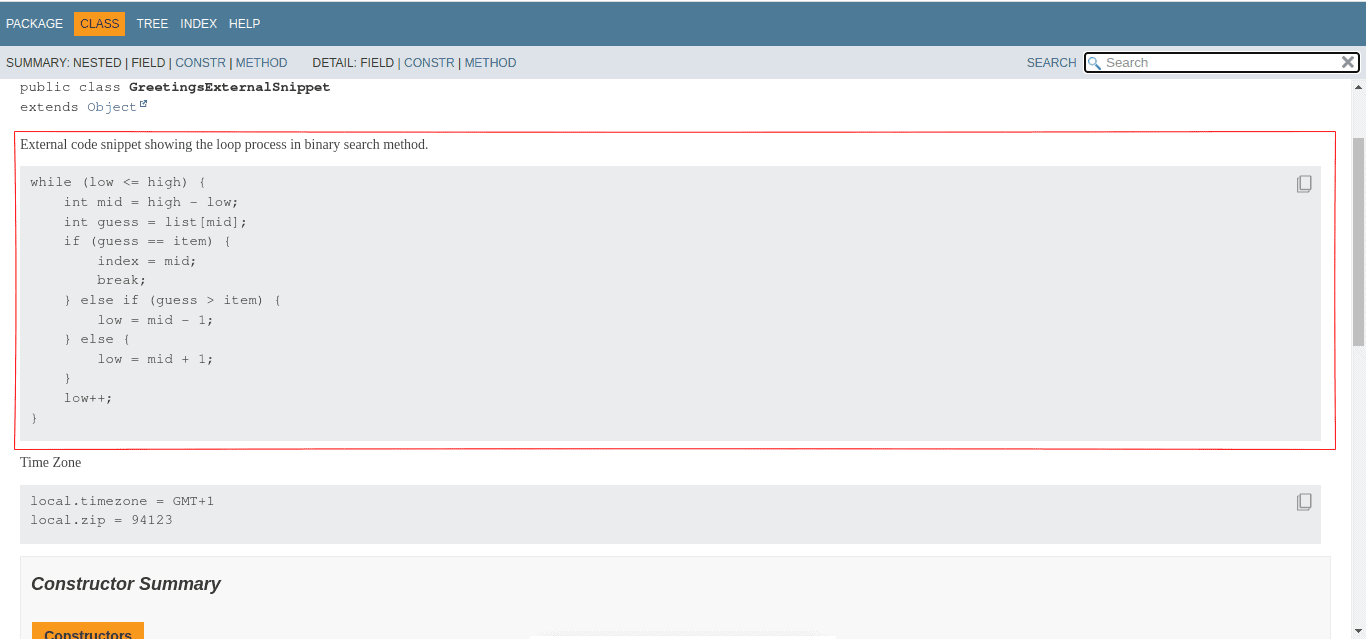
The section named binary is successfully imported into the documentation.
Notably, we can also import snippets from files like properties files, config files, etc., using the file attributes.
Here’s an example that shows a properties file with a defined region:
# @start region="zone"
local.timezone = GMT+1
local.zip = 94123
# @end region="zone"
Next, let’s embed the defined “zone” in a Javadoc comment by using the file attribute:
/**
 * Time Zone
 * {@snippet file="application.properties" region="zone"}
 *
 */
public class GreetingsExternalSnippet {
    public void helloBinarySearch() {
        System.out.println("Hi, it's great knowing that binary search uses a loop under the hood");
    }
}
Here, we use the file attribute to define the name of the file.
Here’s the generated documentation: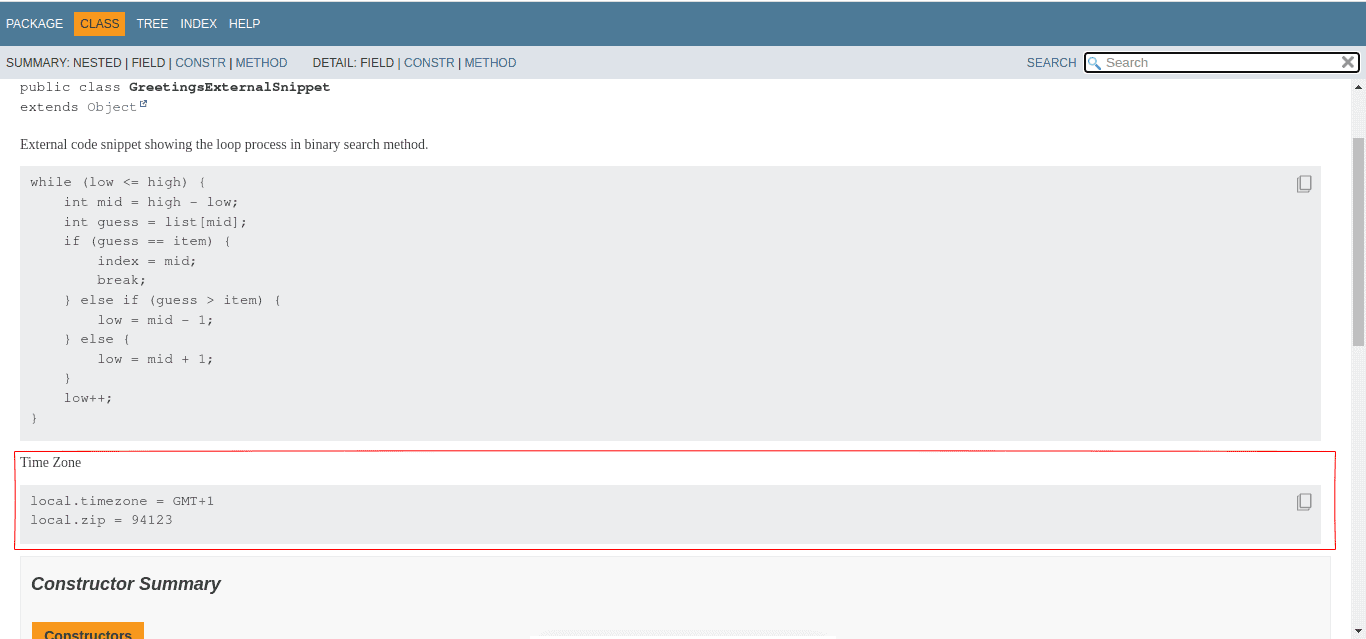
The above image shows the snippet from the properties file.
3.3. @highlight Tag
Furthermore, we can highlight a section of a code snippet with the @highlight tag to call for attention.
Let’s modify the helloBaeldung() method to highlight the section that prints greetings to the console:
/**
 * {@snippet :
 * public void helloBaeldung() {
 *     System.out.println("Hello From Team Baeldung"); // @highlight
 * }
 * }
 */
Here, the @highlight tag highlights the line where we declare it: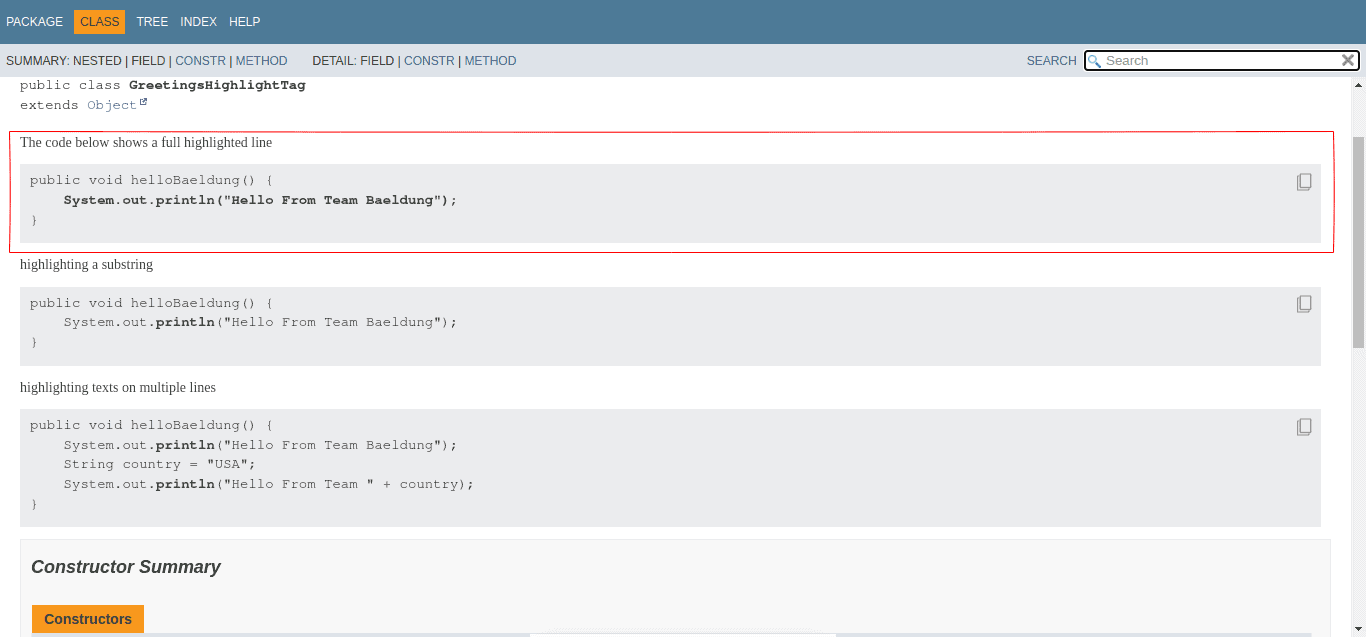
Additionally, we can be more specific on the string to highlight:
/**
 * {@snippet :
 * public void helloBaeldung() {
 *     System.out.println("Hello From Team Baeldung"); // @highlight substring="println"
 * }
 * }
 */
Here, we highlight “println” by using the substring attribute: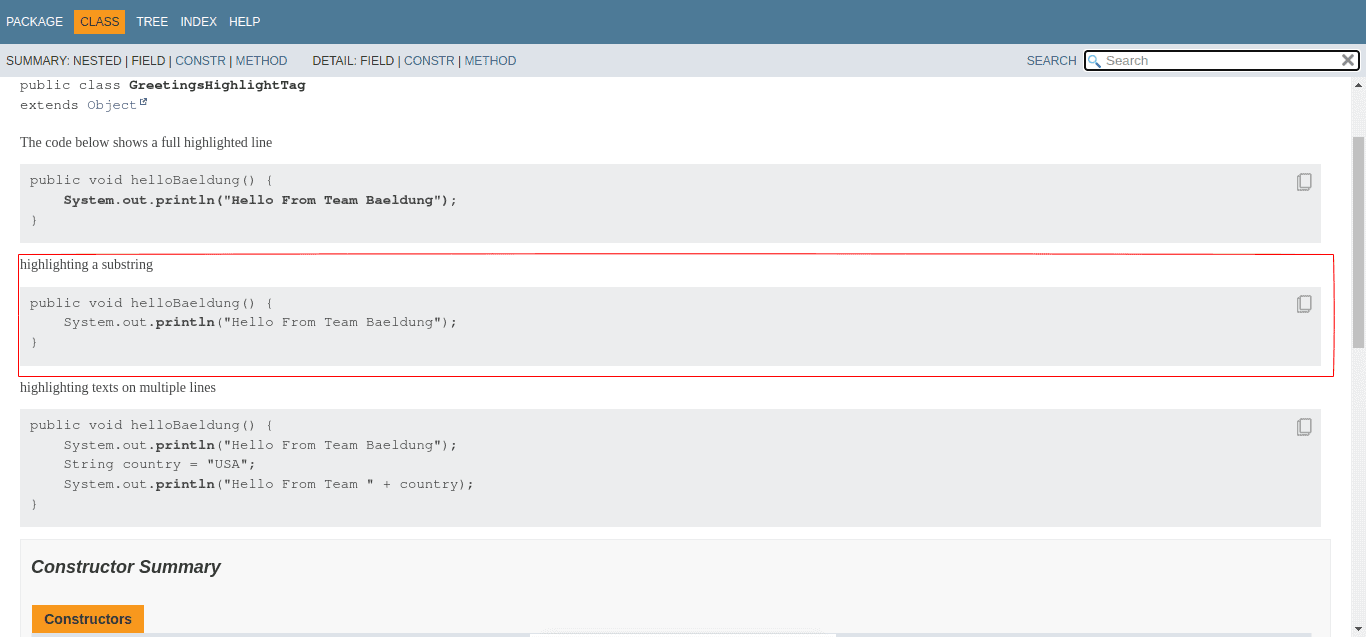
Furthermore, we can extend the scope of the @highlight tag by using the region attribute and the @end tag:
/**
 * highlighting texts on multiple lines
 * {@snippet :
 * public void helloBaeldung() {
 *     System.out.println("Hello From Team Baeldung"); // @highlight region substring="println"
 *     String country = "USA";
 *     System.out.println("Hello From Team " + country); // @end
 *
 * }
 * }
 */
The above code uses the region attribute to define the beginning of the scope of the substring to highlight. Finally, we use the @end tag to mark the end of the scope.
The generated documentation highlights the specified substring: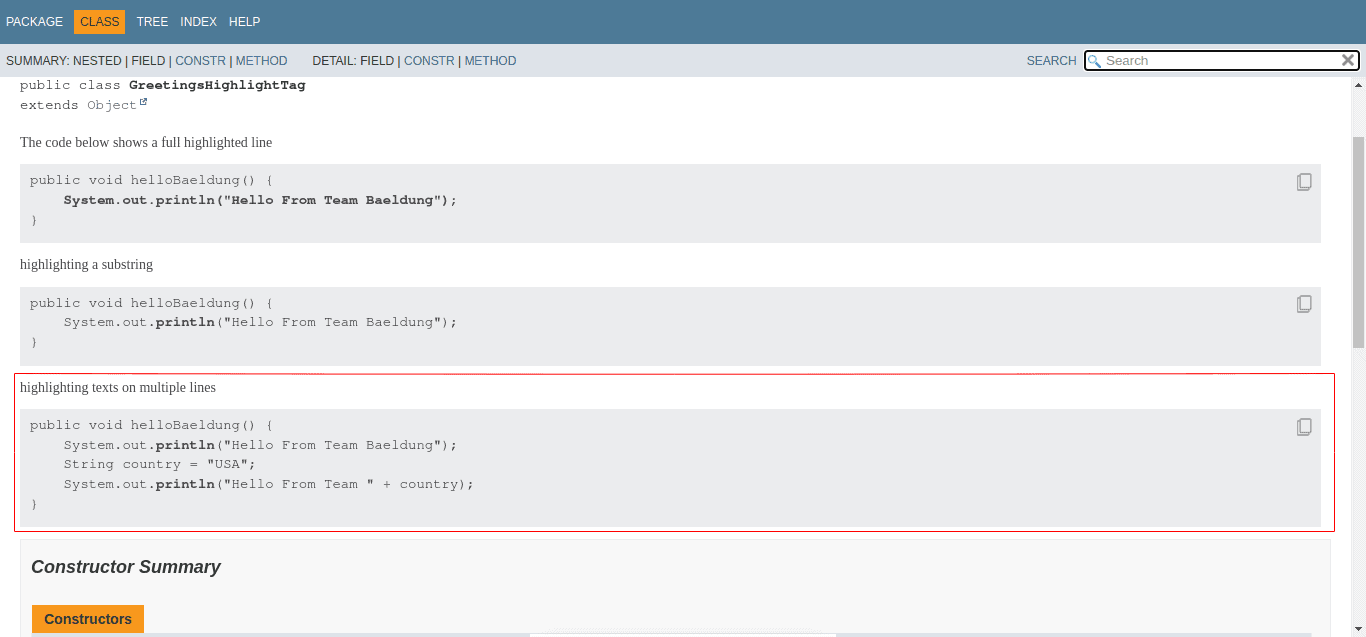
Here, the substring “println” is highlighted in the specified scope.
3.4. @replace Tag
The @replace tag helps to modify texts within a snippet.
Let’s see an example that uses the @replace tag:
/**
 * {@snippet :
 * public void helloBaeldung() {
 *     System.out.println("Hello From Team Baeldung"); // @replace regex='".*"' replacement="..."
 * }
 * }
 */
Here, we replace the displayed text with three dots: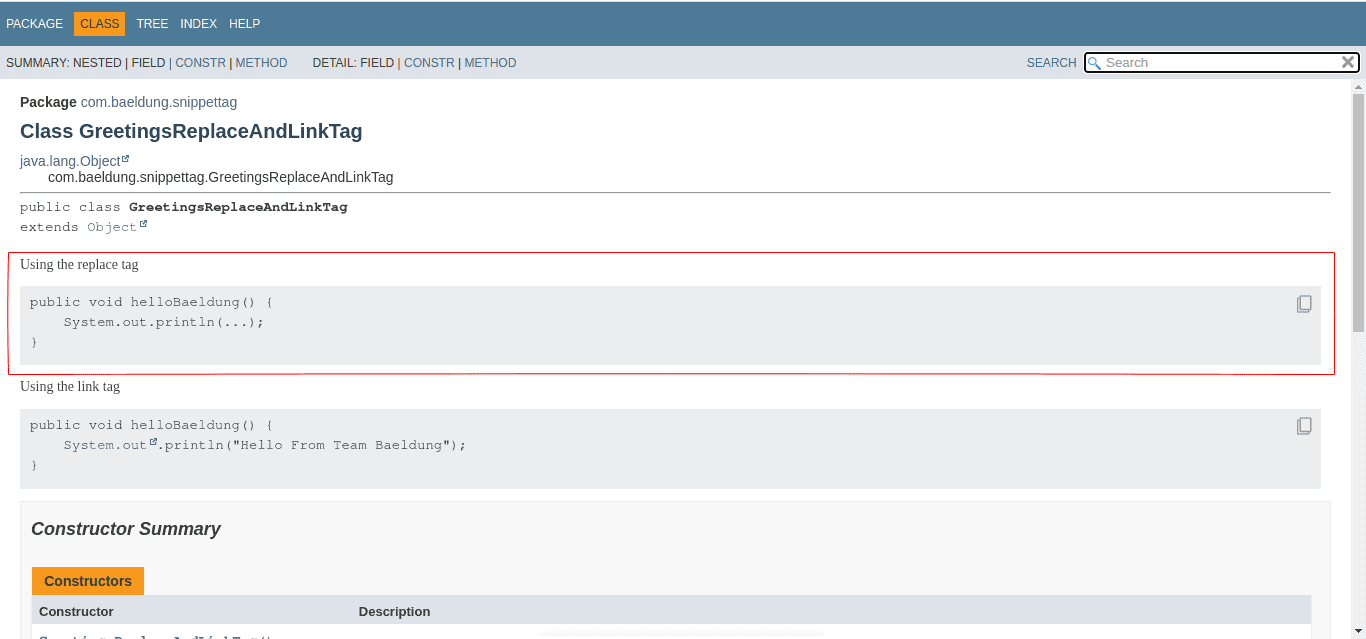
This can be useful in a case where we want to modify the displayed text.
3.5. @link Tag
We can use the @link tag to link to an existing documentation.
First, we define the @link tag in the snippet. Then, we specify the text and the target link:
/**
 * Linking Text
 * {@snippet :
 * public void helloBaeldung() {
 *     System.out.println("Hello From Team Baeldung"); // @link substring="System.out" target="System#out"
 * }
 * }
 */
The above code links System.out to an official documentation on how to use it.
Here’s the generated Javadoc: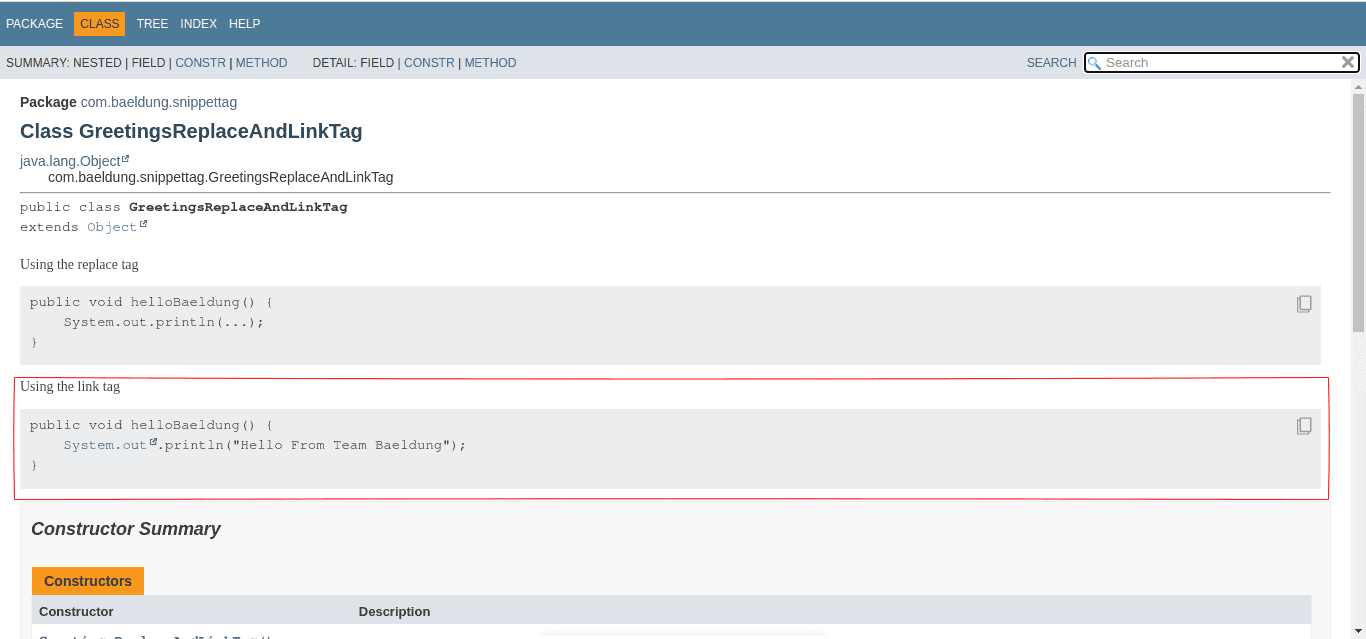
It shows that System.out has a link on it.
4. Conclusion
In this article, we learned how to use the @snippet tag to add code snippets to a Javadoc comment. Additionally, we saw how to use in-line and external code snippets with other tags and attributes.
The @snippet tag provides easy code integration compared to the @code tag. Syntax highlighting and code validation make @snippet a great Javadoc tool.














