


Mocking is an essential part of unit testing, and the Mockito library makes it easy to write clean and intuitive unit tests for your Java code.
Get started with mocking and improve your application tests using our Mockito guide:
Handling concurrency in an application can be a tricky process with many potential pitfalls. A solid grasp of the fundamentals will go a long way to help minimize these issues.
Get started with understanding multi-threaded applications with our Java Concurrency guide:
Spring 5 added support for reactive programming with the Spring WebFlux module, which has been improved upon ever since. Get started with the Reactor project basics and reactive programming in Spring Boot:
Since its introduction in Java 8, the Stream API has become a staple of Java development. The basic operations like iterating, filtering, mapping sequences of elements are deceptively simple to use.
But these can also be overused and fall into some common pitfalls.
To get a better understanding on how Streams work and how to combine them with other language features, check out our guide to Java Streams:
Explore Spring Boot 3 and Spring 6 in-depth through building a full REST API with the framework:
Yes, Spring Security can be complex, from the more advanced functionality within the Core to the deep OAuth support in the framework.
I built the security material as two full courses - Core and OAuth, to get practical with these more complex scenarios. We explore when and how to use each feature and code through it on the backing project.
You can explore the course here:
All Access is finally out, with all of my Spring courses. Learn JUnit is out as well, and Learn Maven is coming fast. And, of course, quite a bit more affordable. Finally.
>> GET THE COURSE
Spring Data JPA is a great way to handle the complexity of JPA with the powerful simplicity of Spring Boot.
Get started with Spring Data JPA through the guided reference course:
Refactor Java code safely — and automatically — with OpenRewrite.
Refactoring big codebases by hand is slow, risky, and easy to put off. That’s where OpenRewrite comes in. The open-source framework for large-scale, automated code transformations helps teams modernize safely and consistently.
Each month, the creators and maintainers of OpenRewrite at Moderne run live, hands-on training sessions — one for newcomers and one for experienced users. You’ll see how recipes work, how to apply them across projects, and how to modernize code with confidence.
Join the next session, bring your questions, and learn how to automate the kind of work that usually eats your sprint time.
1. Overview
Thymeleaf is a popular Java template engine that’s compatible with the Spring framework to generate HTML views. One of the main features of a web application is rendering an image.
Spring Boot‘s organized directory structure for Java files and resource files makes it easy to define the path to an image in an HTML file.
In this tutorial, we’ll set up a simple Spring Boot project and serve an image from the resources folder. Also, we’ll see how not to define an image path when using Thymeleaf.
2. Project Setup
To begin, let’s bootstrap a simple Spring Boot project by adding spring-boot-starter-web and spring-boot-starter-thymeleaf to the pom.xml:
<dependency>
    <groupId>org.springframework.boot</groupId>
    <artifactId>spring-boot-starter-web</artifactId>
    <version>3.2.1</version>
</dependency>

<dependency>
    <groupId>org.springframework.boot</groupId>
    <artifactId>spring-boot-starter-thymeleaf</artifactId>
    <version>3.2.1</version>
</dependency>
In the subsequent sections, we’ll see how to display images in a Spring Boot application with Thymeleaf.
3. Displaying Images in Thymeleaf Templates
To display an image in Thymeleaf, we need to follow the standard convention of creating a templates directory for HTML files and a static directory for assets like images.
3.1. Setting up Directories
By default, Spring Boot configures the directory structure for us. It separates Java source files from static resources and templates. Also, it automatically creates a resources directory where we can add static files and templates.
When bootstrapping a Spring Boot application with Thymeleaf, the convention is to create templates and static directories within the resources directory.
Thymeleaf HTML template files should be placed in the templates directory, while static assets like JS, CSS, images, etc. should be placed in the static directory.
First, let’s create an images directory in the static folder. Next, let’s add an image file named cat.jpg to the images directory:

The cat.jpg file can now be referenced from the view files.
3.2. Referencing Images in Thymeleaf
To begin with, let’s create a new file named index.html in the template directory and write a simple HTML code to display an image from the static folder:
<!DOCTYPE html>
<html lang="en" xmlns:th="http://www.thymeleaf.org">
    <head>
        <meta name="viewport" content="width=device-width, initial-scale=1.0">
        <title>Baeldung Pet Store</title>
    </head>
    <body>
        <h6>Pet Store</h6>
        <img th:src="@{images/cat.jpg}" alt="cat">
    </body>
</html>
Notably, we add a Thymeleaf th:src attribute to the HTML code to specify the relative path to the image.
The way we define the path to the image is essential to successfully display the image. Spring is preconfigured to serve static resources from the resource folder. Therefore, we can omit the resource and static path segments when referencing images and other static files.
Additionally, we can add an image to the static folder without creating a folder for it:
Let’s copy the cat.jpg file to the static folder:

In this case, we only need to specify the image name and its extension:
// ...
<h6>Pet Store</h6>
<img th:src="@{cat.jpg}" alt="">
// ...
However, it’s advisable to create a sub-folder for static files to keep them organized.
Finally, let’s create a controller class and add a route to the index page:
@Controller
public class DisplayController {
    @RequestMapping("/")
    public String home(){
        return "index";
    }
}
Here, we create a route mapping “/” path to the index view template. This allows us to display the image when we load the application:
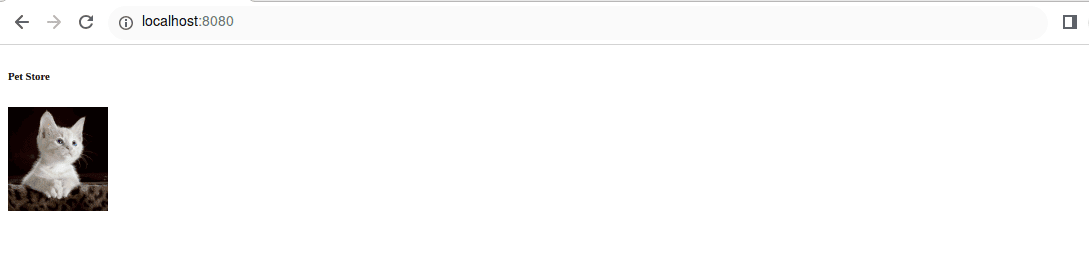
The image displays properly because the relative path allows Spring to locate the image file in the static resource folder without needing to specify the full absolute path.
3.3. Avoiding Failure
Simply put, specifying the resource or static folder in the image path will cause the image to fail to load:
// ...
<img th:src="@{../static/images/cat.jpg}" alt="" width="100px">
// ...
The code above specifies the image path with the static folder. Since Spring Boot is preconfigured to check the static folder already, this results in a faulty path, and the image cannot be found.
Therefore, we should avoid including the resource or the static keyword in the image file path. Spring will check those folders by default when resolving the image path.
4. Conclusion
In this article, we learned how to display an image in Thymleaf templates using the th:src attribute. Also, we saw how to properly specify the path to the images by avoiding resources or static keywords in the path declaration.














