1. Introduction
We can view reverse engineering as something good or bad, but there are many legitimate cases when we can use it. One way is through decompilation. Java applications are particularly suited to such action. The Java bytecode class files are used by the Java Virtual Machine (JVM). In Android, Dalvik Executable (DEX) files are run by the Dalvik Virtual Machine (DVM).
In this tutorial, we’ll learn how to inspect JAR and APK files and decompile class and DEX files.
2. How to Get jadx
On Ubuntu and Windows, we need to download the source code and build it. So, let’s clone the GitHub repository:
$ git clone https://github.com/skylot/jadx.git
Let’s switch to the jadx folder:
$ cd jadx
Now, let’s build the program with the Gradle wrapper:
$ ./gradlew build
Afterwards, we find the scripts for running jadx in the build/jadx/bin subfolder. For use in the current session, we add this folder to the PATH variable:
$ export PATH=~/jadx/build/jadx/bin:$PATH
3. Running jadx
We can use jadx as a command-line tool:
$ jadx
For more comfortable use, we have a graphical application, jadx-gui:
$ jadx-gui
4. Example Application
As an example for decompilation, we’ll use a simple Hello-World-like ExampleForJadx application.
It reads the famous message from a resource text file and prints it in capital letters to the standard output.
We use two classes to accomplish this task: ExampleForJadx with the main() method and ExampleForJadxUtils with the file reader and text manipulation functions.
5. Decompiling a Bytecode Class File
Let’s decompile the ExampleForJadx.class file:
$ jadx ExampleForJadx.class
Afterwards, we can view the result with the tree command:
$ tree
.
├── ExampleForJadx
│   ├── resources
│   └── sources
│       └── com
│           └── baeldung
│               └── exampleforjadx
│                   └── ExampleForJadx.java
└── ExampleForJadx.class

6 directories, 2 files
We see that jadx recovers the corresponding Java source code file and recalls the class’s package structure.
6. Decompiling an Application JAR File
In a similarly easy way, we can extract and decompile the whole application stored in the ExampleForJadx.jar file:
$ jadx ExampleForJadx.jar
Again, tree shows us the resulting folder structure:
$ tree
.
├── ExampleForJadx
│   ├── resources
│   │   ├── com
│   │   │   └── baeldung
│   │   │       └── exampleforjadx
│   │   │           ├── ExampleForJadx.class
│   │   │           └── ExampleForJadxUtil.class
│   │   ├── exampleforjadx
│   │   │   └── HelloWorld.txt
│   │   └── META-INF
│   │       └── MANIFEST.MF
│   └── sources
│       └── com
│           └── baeldung
│               └── exampleforjadx
│                   ├── ExampleForJadx.java
│                   └── ExampleForJadxUtil.java
└── ExampleForJadx.jar

11 directories, 7 files
We recognize elements of the Java application. We have the manifest file MANIFEST.MF, the resources folder with the HelloWorld.txt file, and of course, the source code files for both classes.
7. Code Generation Modes
Let’s check the generated code corresponding to the original snippet:
public String resourceFileReader(String fileName) throws IOException, FileNotFoundException {
    try (InputStream in = getClass().getResourceAsStream(fileName);
      BufferedReader reader = new BufferedReader(new InputStreamReader(in))) {
        String result = null;
        if (in != null) {
            result = reader.lines()
              .collect(Collectors.joining("\n"));
        }
        return result;
    }
}
Within jadx-gui, we see:
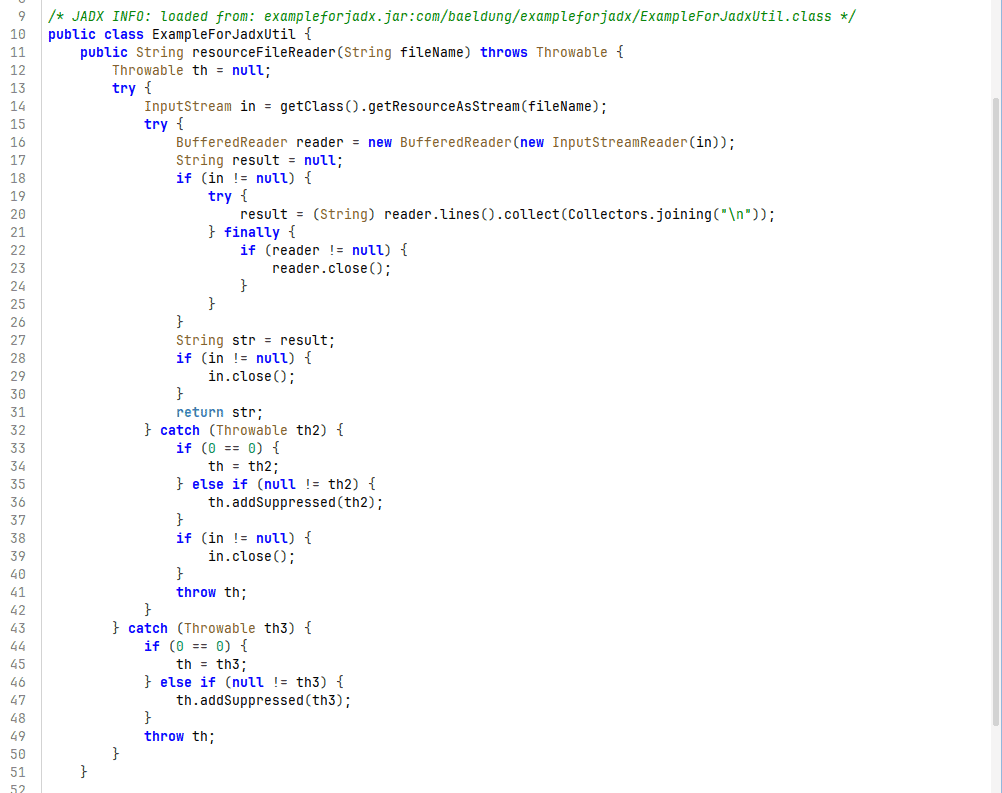
Thus, the original try-with-resource construct is replaced by a series of try-catch blocks. We shouldn’t expect a one-to-one recovery, even in such a simple case.
We can set the decompilation mode to auto, restructure, simple, or fallback. They’re available in Preferences in the GUI or through the -m (–decompilation-mode) switch to jadx. These modes range from the most human-readable to the lowest level of the resulting code.
8. Example Android Application
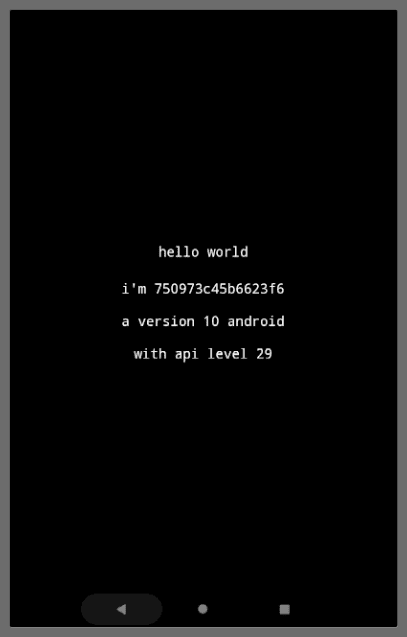
As an example, we’ll use an MIT-licensed HelloWorldSelfAware application provided by Appliberated on GitHub. We can download the released application. It prints the “Hello World” greeting, along with information about the Android system:
9. Inspecting APK File
Let’s open the HelloWorldSelfAware APK file with jadx-gui:
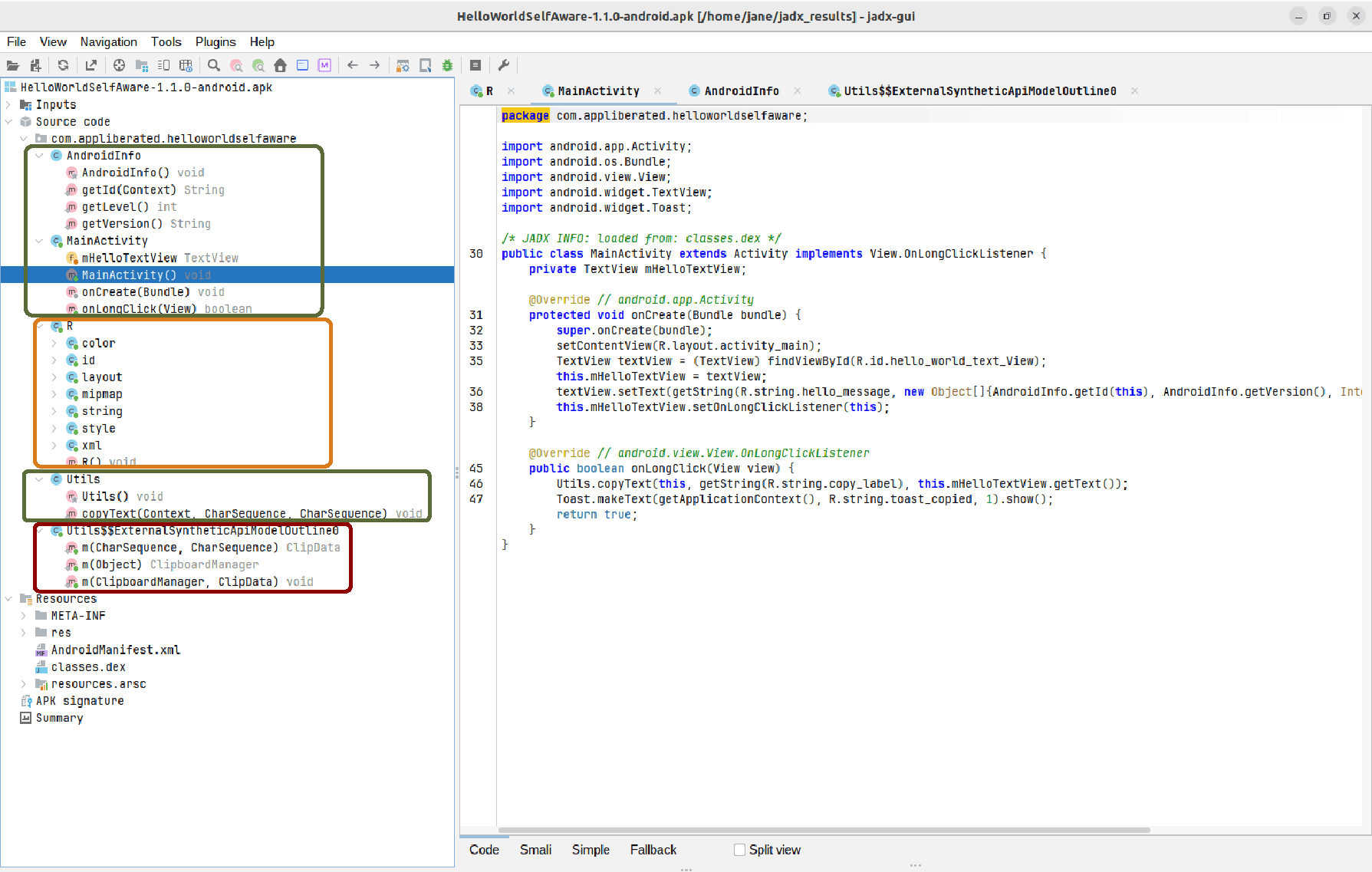
First, let’s name three classes created by the developer: MainActivity, AndroidInfo, and Utils. In the picture above, they’re surrounded by green frames. Then, in the yellow frame, come the R classes, Java source code generated automatically to represent resources. Additionally, we have synthetic classes and bridge methods, generated by Java during compilation, in the red frame.
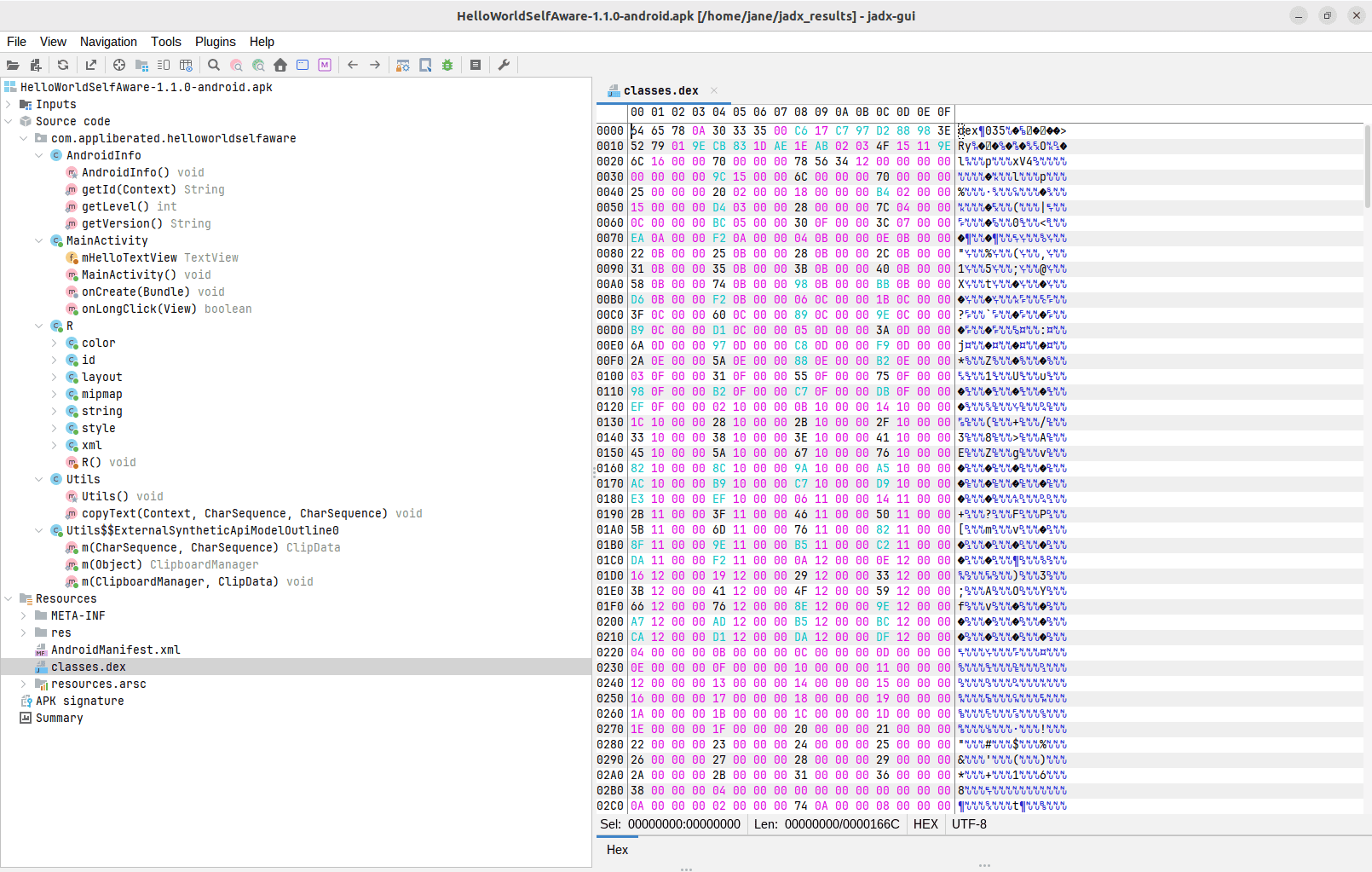
Finally, let’s inspect the binary classes.dex file:
10. Conclusion
In this article, we learned about jadx, a splendid tool for decompiling Java applications. First, from the source code, we built the command-line tool jadx and the graphical jadx-gui. Then, we used it to decompile the class file and scrutinize the JAR file. Next, we examined the Android application, extracting its components and decompiling the DEX file.
At the end, we should note that jadx is more than just a decompilation tool. Additionally, we can generate the Gradle project from the extracted source, generate the Control Flow Graphs (CFG), or debug an Android application.
The code backing this article is available on GitHub. Once you're
logged in as a Baeldung Pro Member, start learning and coding on the project.


