


Learn through the super-clean Baeldung Pro experience:
>> Membership and Baeldung Pro.
No ads, dark-mode and 6 months free of IntelliJ Idea Ultimate to start with.
Learn through the super-clean Baeldung Pro experience:
>> Membership and Baeldung Pro.
No ads, dark-mode and 6 months free of IntelliJ Idea Ultimate to start with.
Developers with low-resource Linux systems often seek lightweight integrated development environments (IDEs) to enjoy a smooth development experience without overloading their hardware. Therefore, by choosing the right IDE, coders can experience powerful features and a responsive system at the same time.
In this tutorial, we’ve curated a list of the top five lightweight IDEs for Linux.
Geany is a popular, lightweight, cross-platform IDE with support for multiple programming languages. These programming languages include C, Java, PHP, HTML, Perl, Fortran, JavaScript, Python, and LaTeX.
Geany enables its users to customize their development environment by tweaking settings as needed, such as the color theme. Moreover, it supports plugins, providing a way to add more functionality with ease.
Of course, we can install Geany on Linux by running the appropriate command, depending on the distribution of the system:
# Debian-based systems
$ sudo apt install geany

# Fedora-based systems
$ sudo yum install geany

# Arch-based systems
$ sudo pacman -S geany
Afterward, we just open Geany and enjoy coding:
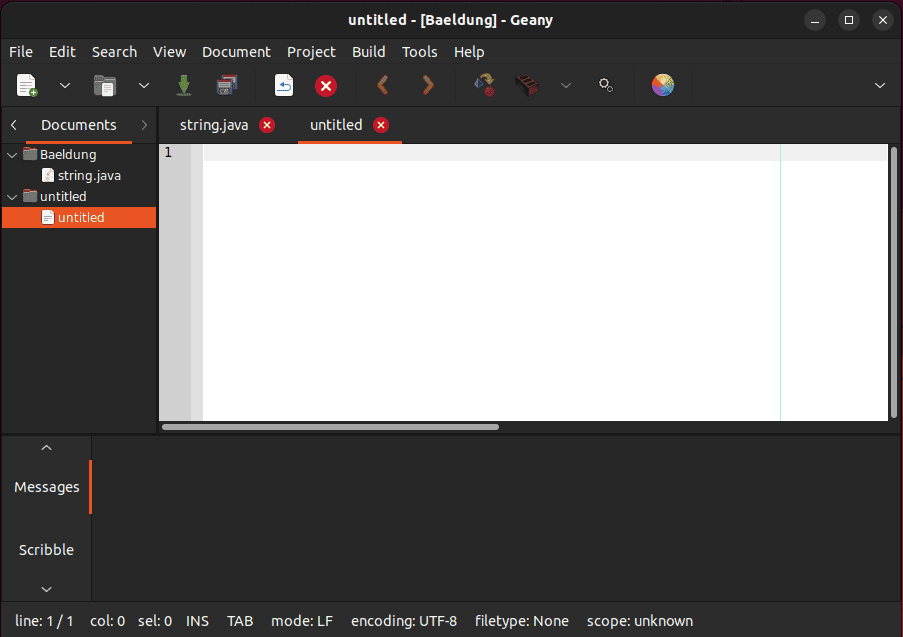
The above image displays the main interface of Geany.
Moving forward, let’s list some of the key features of Geany IDE:
Geany was designed to be a fast, open-source, user-friendly, efficient, and powerful IDE, which it is today.
Lastly, we remove Geany from Linux by executing one of the commands below, depending on the system’s distribution:
# Debian-based systems
$ sudo apt remove geany

# Fedora-based systems
$ sudo yum remove geany

# Arch-based systems
$ sudo pacman -R geany
Overall, Geany is an ideal choice for developers who frequently switch between programming languages and require plugin support.
CodeLite is an open-source, lightweight, cross-platform IDE that supports all major operating systems, including Linux. It’s designed to support PHP, C, C++, Rust, Python, and JavaScript.
Unlike other IDEs, we can download and install CodeLite on a Linux system via its .deb or .tar.gz file. For example, in Ubuntu, we download its .deb file from the official website:
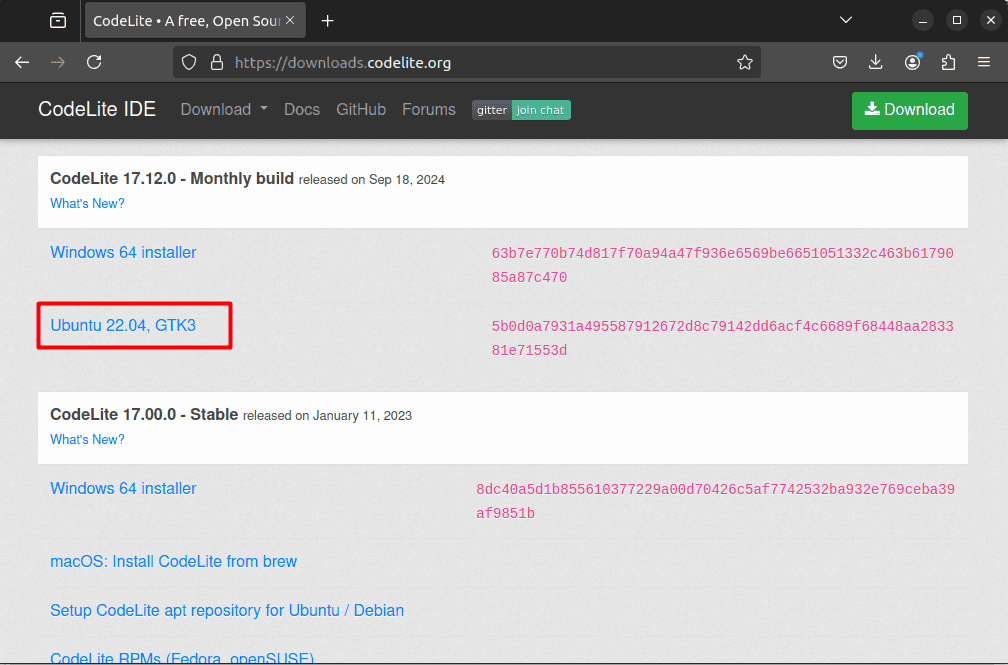
Next, we open the file using the Software Install application:

Finally, we click on the Install button to install CodeLite:

Afterward, we open CodeLite and configure its development environment:

Thus, we’re ready to use CodeLite:

Above, we can see the interface of CodeLite.
At this point, let’s highlight some of the features that CodeLite IDE offers:
Additionally, CodeLite also offers source browsing.
Lastly, to remove CodeLite, we open the system’s software center and uninstall CodeLite.
For instance, in the case of Ubuntu, we open the Ubuntu Software Center and head to the Installed tab. Then, we find CodeLite and click on the Uninstall button:

Thus, we’ve successfully removed CodeLite.
Overall, CodeLite is ideal for backend developers using Node.js who require a lightweight IDE.
Code::Blocks is a popular, open-source, highly configurable C/C++ and Fortran IDE. It offers a clean and user-friendly interface. Additionally, it’s a cross-platform IDE with support for Linux, Mac, and Windows.
To begin with, we can install Code::Blocks in the Linux system by executing one of the usual commands:
# Debian-based systems
$ sudo apt install codeblocks

# Fedora-based systems
$ sudo dnf install codeblocks

# Arch-based systems
$ sudo pacman -S codeblocks
Afterward, we open Code::Blocks and set the default compiler:
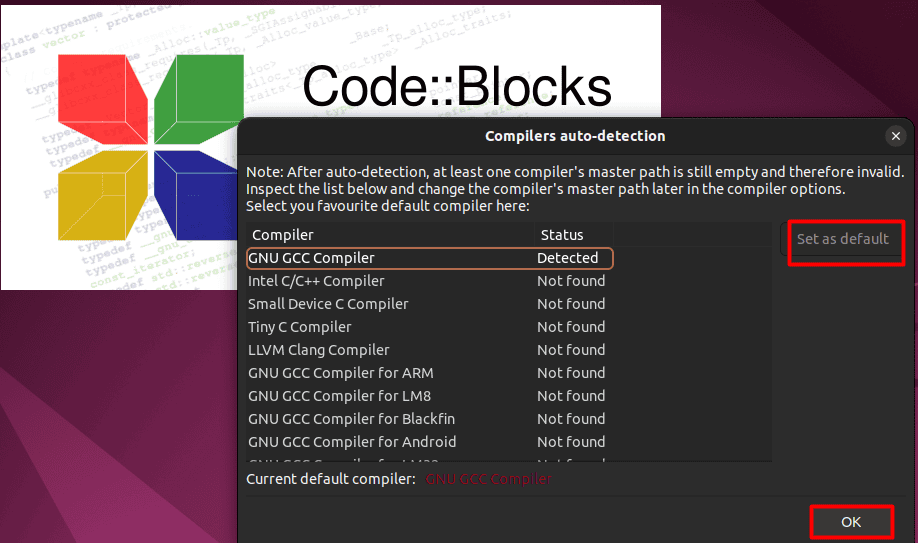
Now, we open and start coding in Code::Blocks:

The above image displays the interface of Code::Blocks.
Let’s list some features of Code::Blocks IDE:
Additionally, Code::Blocks offers numerous features for advanced project management.
Depending on the way it was installed, we can usually remove Code::Blocks from the Linux system by using any native package manager:
# Debian-based systems
$ sudo apt remove codeblocks

# Fedora-based systems
$ sudo dnf remove codeblocks

# Arch-based systems
$ sudo pacman -R codeblocks
Overall, Code::Blocks is ideal for C, C++, and Fortran developers seeking a lightweight, customizable IDE.
KDevelop is a fully-featured IDE developed by KDE that supports multiple programming languages, including C, C++, Objective-C, JavaScript, and QML. Along with these languages, we can also work with Python and PHP by using plugins.
We can install KDevelop on a Linux system using the Snap or Flatpak commands:
# Snap
$ sudo snap install kdevelop --classic

# Flatpak
$ flatpak install flathub org.kde.kdevelop
Of course, before using these commands, we need to make sure that Snapd or Flatpak is installed on the system.
Afterward, we can start coding:
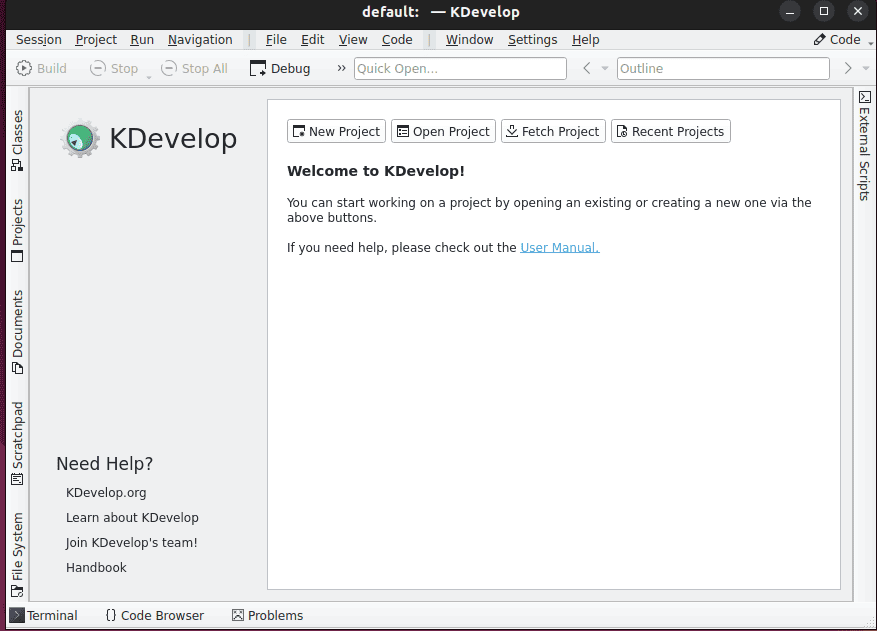
The above image shows the interface of KDevelop IDE.
So, let’s cover some of the features KDevelop offers:
Moreover, KDevelop is a great multi-project IDE.
Lastly, we can uninstall KDevelop from a Linux system using the appropriate Snap or Flatpak command, depending on how the IDE was installed:
# Snap (if installed using snap)
$ sudo snap remove kdevelop

# Flatpak (if installed using flatpak)
$ flatpak uninstall flathub org.kde.kdevelop
Overall, KDevelop is an excellent choice for KDE users seeking a lightweight IDE for C/C++ development.
Eclipse is a popular, lightweight, and efficient Java IDE that also supports other programming languages, including C, C++, PHP, and Ruby. Moreover, it offers loads of plugins to customize the development environment.
To install Eclipse on a Linux system, we run a Snap command:
$ sudo snap install eclipse --classicBefore executing this command, we should ensure that Snapd is installed on the system.
Afterward, we open Eclipse to develop applications:
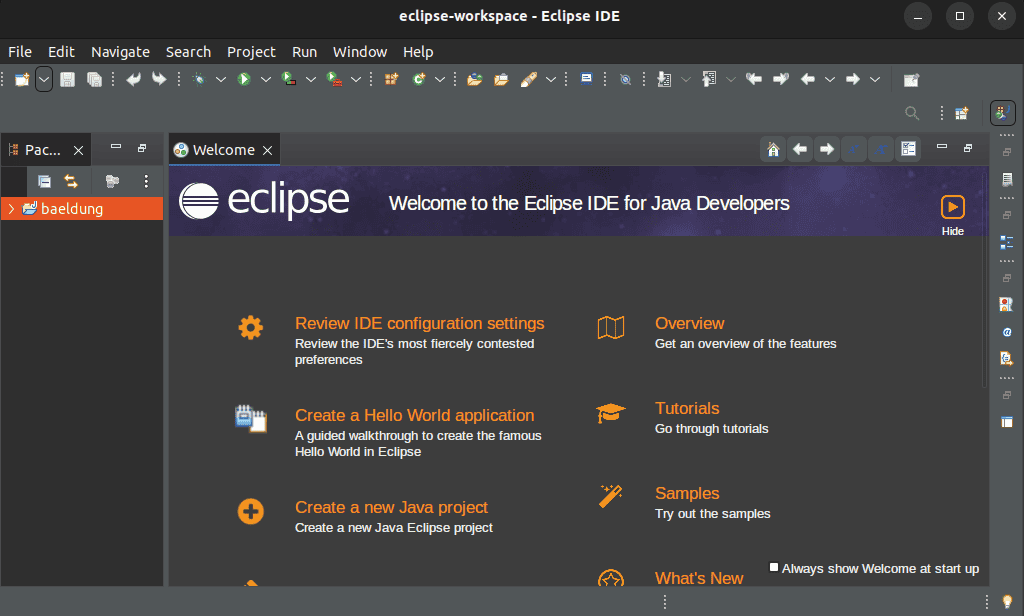
The above image shows the interface of Eclipse.
Let’s highlight some features of the Eclipse IDE:
Additionally, Eclipse offers an extensible plugin system.
Lastly, we remove Eclipse IDE from Linux by running the respective Snap command:
$ sudo snap remove eclipseOverall, developers seeking a lightweight IDE for complex projects can use Eclipse confidently.
In this article, we explored the five best lightweight IDEs for Linux, which enable developers to enjoy their development environment even on low-resource systems.
Geany and Code::Blocks are ideal for those who prioritize simplicity and focus on multi-language support. On the other hand, CodeLite is perfect for backend work. Meanwhile, KDevelop is ideal for KDE users. Lastly, we discussed that Eclipse suits developers working on complex Java projects.
In conclusion, there are many lightweight IDE choices, so developers can take their pick according to language and preferences.